 DOHOO
DOHOO
Comparison
Alternative Social Media Websites: What to Compare Before Choosing a Tool
 Vitalii
14 min read
Vitalii
14 min read
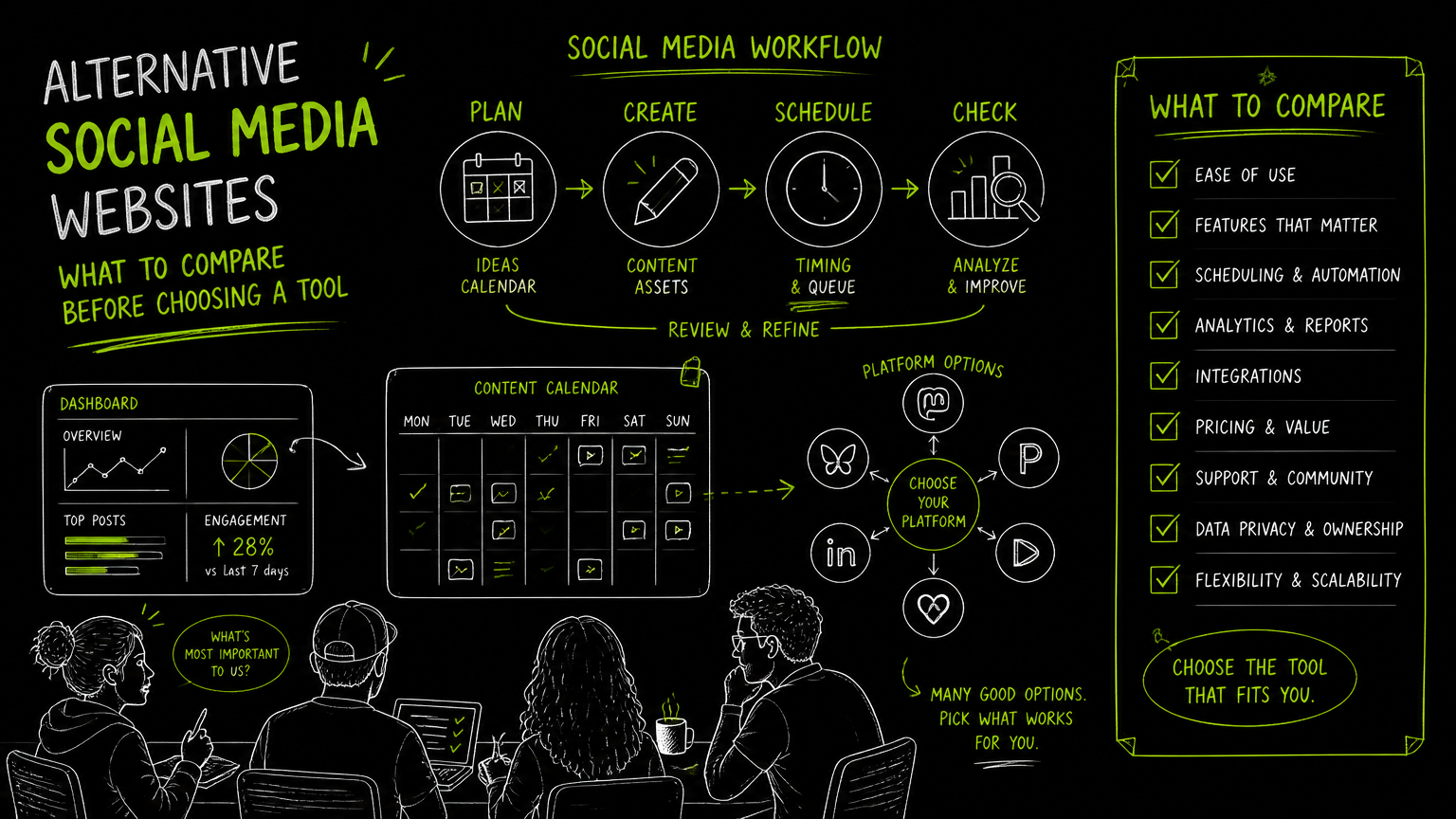
Your campaign calendar is approved, but the channel list just changed again: LinkedIn stays, X/Twitter is under review, Threads is being tested, and the video team wants TikTok and YouTube in the mix. At that moment, comparing sites of social networking is not an abstract research task; it is an operations decision.
The goal is not to find the “coolest” alternative. It is to choose the social media options your team can publish to, govern, and sustain without creating a weekly scramble.
This guide gives you a practical comparison framework before you commit to a platform mix or management tool.
Quick Answer
Quick answer: The best alternative social media websites are the ones that match your audience, content formats, approval process, and publishing limits. Before choosing among sites of social networking, compare platform support, scheduling, account limits, media limits, API access, governance, and whether your team can maintain the workflow every week.
What should you compare first when evaluating sites of social networking?
A good comparison starts with workflow fit, not with a list of trendy platforms.
For B2B teams, the risk is rarely “we chose the wrong social network forever.” The more common risk is choosing too many channels, then discovering that approvals, assets, posting formats, and account ownership do not scale.
Use this table before you shortlist alternative social media platforms, social networking applications, or tools to manage them.
| Need | What to check | Why it matters |
|---|---|---|
| Audience relevance | Which buyer, user, partner, or hiring audience you expect to reach | A platform is only useful if it maps to a real business audience |
| Content format | Text, images, short video, long video, articles, carousels, or mixed media | Format mismatch creates production drag |
| Account ownership | Who owns credentials, business accounts, pages, and profile access | Prevents bottlenecks when a team member changes roles |
| Publishing workflow | Native posting, scheduled posting, calendar view, or approval queue | Determines whether the team can publish consistently |
| Platform coverage | Support for TikTok, Instagram, Facebook, YouTube, X/Twitter, Threads, LinkedIn, Pinterest, or other target channels | Avoids buying a tool that misses a required network |
| Post-type support | Profiles, company pages, articles, reels, carousels, photos, videos, or bulk uploads where relevant | “Supports the platform” does not always mean “supports your format” |
| Volume limits | Scheduled posts, uploads, profiles, file size, and transcription minutes if included | Limits become painful during campaign launches |
| API access | Whether publishing workflows can be connected to internal systems | Useful when social publishing is part of a broader content operation |
| Governance | Review steps, naming conventions, and platform-specific rules | Keeps brand and compliance work from becoming manual cleanup |
| Exit flexibility | How easy it is to stop using a platform or tool without losing the workflow | Reduces lock-in if the channel mix changes |
Decision rule: If a platform requires a separate production process, separate approval process, and separate reporting habit, treat it as a new workflow—not just a new channel.
The right social platform is the one your team can publish to consistently without breaking review, brand, or compliance rules.
Which alternative social media websites belong on your shortlist?
Your shortlist should come from your content motion, not from a generic “best social media sites” ranking.
A B2B software company, a creator-led education brand, and an agency managing multiple client profiles will not have the same channel requirements. Before debating websites like Twitter or independent social media platforms, group your options by job-to-be-done.
1. Channels for authority and professional content
If your team publishes executive posts, product updates, industry commentary, or hiring content, prioritize platforms and tools that support professional publishing workflows.
For example, LinkedIn matters operationally when you need posting to personal profiles and company pages. If articles, images, and videos are part of the workflow, verify those post types directly before choosing a tool.
2. Channels for short-form video and visual campaigns
If the team produces product clips, demos, creator-style videos, reels, or visual explainers, format support becomes the deciding factor.
TikTok, Instagram, YouTube, Facebook, Pinterest, and Threads may all appear in a campaign plan, but each can require different assets, captions, post formats, and scheduling habits. A “multi-platform” claim is not enough; check the specific formats your team actually ships.
3. Channels for conversation and real-time commentary
If your team is comparing X/Twitter alternatives or testing discussion-led channels, focus on response ownership and moderation expectations.
The practical question is simple: who will monitor replies, route questions, and decide when a conversation needs escalation? A channel that looks lightweight during planning can become heavy once customers, prospects, partners, or critics start replying.
4. Independent social media platforms
Independent social media platforms can be attractive when a team wants to diversify beyond the most common networks.
The evaluation should stay grounded: audience fit, content portability, publishing cadence, and whether your team can manage another account. For most B2B teams, channel diversification only works when the operating model is clear.
Watch out: A new platform can be strategically interesting and operationally expensive at the same time. Separate the channel bet from the workflow cost.
How should a B2B team evaluate the workflow before choosing?
The best evaluation is a two-week publishing simulation using real campaign assets.
Do not start with vendor demos. Start with the work your team already has to do: one product announcement, one thought-leadership post, one video asset, one customer-facing update, and one internal approval request.
Use this process.
Step 1: Map your current channel mix
List every active social account, including personal profiles, company pages, and brand handles.
For each one, capture:
- Owner
- Backup owner
- Login or business access model
- Primary content format
- Approval path
- Posting frequency
- Known constraints
This exposes hidden work. A single brand might have one LinkedIn company page, several executive profiles, an Instagram account, a YouTube channel, and a dormant X/Twitter handle that still receives customer questions.
Step 2: Create a format matrix
Build a simple matrix before you compare tools.
| Asset | TikTok | YouTube | X/Twitter | Threads | ||||
|---|---|---|---|---|---|---|---|---|
| Product launch copy | Needs edit | Needs visual | Not suitable as-is | Maybe video | Short version | Short version | Needs image | Needs edit |
| Demo video | Native video | Reel or video | Short-form clip | Video | Link or clip | Clip | Pin format | Video |
| Executive POV | Profile post | Not primary | Not primary | Maybe short | Thread/post | Post | Not primary | Page post |
| Campaign image | Image post | Image/carousel | Not primary | Not primary | Image post | Image post | Pin | Image post |
This does not have to be perfect. It forces the team to see where one asset becomes six different production tasks.
Step 3: Run a before/after test
Before: the social manager copies campaign copy from a document, rewrites it for each platform, asks for Slack approval, downloads assets from a shared folder, posts natively, and updates a spreadsheet.
After: the team prepares platform variants in one content plan, assigns approvals by channel owner, schedules posts on a calendar, and checks limits before launch week.
That before/after is the real buying case. The tool is only valuable if it removes enough manual coordination to justify the change.
Step 4: Score each option
Use a 1–3 score for each category:
- Audience fit
- Format fit
- Workflow fit
- Governance fit
- Tool support
- Exit flexibility
Do not over-engineer the scoring. The goal is to reveal trade-offs, not create a false sense of precision.
Tip: Give workflow fit the same weight as audience fit. A promising channel that nobody can maintain will quietly disappear from the calendar.
What platform and format support should you verify?
Platform support should be verified at the level of account type, post type, media type, and publishing method.
“Supports Instagram” is not enough. A B2B team may need Instagram Business accounts, photos, videos, reels, carousels, hashtags, captions, and bulk upload. Those are different operational requirements.
Check these details before you decide.
Account types
Ask whether the tool supports the exact account type you use:
- Personal profile
- Company page
- Business account
- Multiple accounts for one platform
- Client profiles if you are an agency
For example, LinkedIn workflows can differ depending on whether you post to personal profiles or company pages.
Post formats
List the formats your team actually uses:
- Articles
- Images
- Videos
- Reels
- Carousels
- Short-form video
- Long-form video
- Pins
- Text posts
- Threads or multi-post commentary
If a tool does not support a priority format, the team will fall back to native posting. That may be acceptable, but it should be a deliberate exception.
Scheduling and calendar workflow
A calendar is not just a visual nice-to-have. It is how campaign owners see timing conflicts, approval gaps, and platform coverage.
Look for whether the tool supports:
- Scheduled posting
- Calendar planning
- Multi-platform publishing
- Bulk scheduling where needed
- Clear limits on scheduled posts
Scheduled posting capacity matters most during launches, events, and seasonal campaigns.
API access
API access matters when social publishing needs to connect with a larger content system.
For example, a team may want to connect publishing workflows to internal content operations, media libraries, campaign planning, or reporting systems. If API access is required, verify that it is included in the right plan and applies to the platforms you need.
Do not assume every plan includes it.
What limits should you verify before choosing a social media tool?
The most important limits are the ones that appear during a busy publishing week.
Small limits can stay invisible during a trial. They show up when the team schedules a campaign, uploads video assets, adds extra profiles, or needs automation for multiple brands.
Verify these limits in writing:
| Limit | Why it matters |
|---|---|
| Number of included profiles | Determines whether all brand, executive, and client accounts fit |
| Monthly uploads | Affects campaign-heavy teams and video workflows |
| Scheduled posts | Controls how far ahead the team can plan |
| File size | Important for video and high-resolution assets |
| AI transcription minutes | Relevant if the team repurposes video or audio content |
| API access | Required for teams building connected workflows |
| Platform-specific support | Prevents gaps between “supported” and “usable” |
| Billing and trial terms | Avoids surprise constraints after evaluation |
Important: A tool can be a good fit for one team and a poor fit for another solely because of limits. Always compare limits against your busiest realistic month, not your quietest week.
Also verify what the tool does not claim to do.
If advanced analytics, performance prediction, engagement optimization, or recommended posting times are not clearly documented, do not build your evaluation around those assumptions. Treat them as separate requirements to verify.
Common mistakes when comparing social media options
Most bad platform decisions come from skipping the operational questions.
Here are the mistakes I see most often in B2B social workflows, plus the fix.
Mistake 1: Comparing platforms without a content owner
A team adds a new channel because it looks relevant, but nobody owns publishing, replies, or upkeep.
Fix: Assign one primary owner and one backup owner before launch. If ownership is unclear, keep the platform in research mode.
Mistake 2: Treating all social networks as interchangeable
A product demo, executive POV, event recap, and hiring post do not perform the same operational job.
Fix: Map each platform to a content purpose. For example: LinkedIn for professional updates, YouTube for video assets, Instagram or TikTok for visual storytelling, and X/Twitter or Threads for short commentary—only if those uses match your team’s plan.
Mistake 3: Buying for the future before solving the current workflow
A team selects a complex tool because it might be useful later, while today’s calendar, approvals, and posting rules are still messy.
Fix: Solve the next quarter’s workflow first. Future capability matters, but unused complexity becomes maintenance work.
Mistake 4: Ignoring account and upload limits
The team tests with one profile and a few posts, then discovers the real campaign needs more profiles, more uploads, larger files, or more scheduled posts.
Fix: Test with a realistic launch plan. Include video, images, captions, approvals, and every required account.
Mistake 5: Assuming automation replaces judgment
Scheduling can reduce manual posting work, but it does not decide brand voice, escalation rules, or whether a sensitive post should go live.
Fix: Keep human review for campaign claims, regulated language, executive posts, and customer-facing replies.
Example: If a launch post mentions a product capability, the social scheduler should not be the final source of truth. Route the claim through the same review path as the landing page or sales deck.
A practical evaluation process for your shortlist
A clean evaluation process prevents tool comparisons from turning into feature bingo.
Use this sequence for alternative social media websites and the tools that manage them.
1. Define the business reason for each channel
Write one sentence per platform:
- “We use LinkedIn to publish company and executive updates.”
- “We use YouTube for video assets.”
- “We test Threads for short campaign commentary.”
- “We use Instagram for visual product and brand content.”
If you cannot write the sentence, pause the channel.
2. Build a publishing sample
Create a sample set of real posts:
- One product update
- One video post
- One visual post
- One executive or founder post
- One repost or campaign reminder
Then test whether each platform and tool can support the sample without awkward workarounds.
3. Check role handoffs
Document who does each step:
| Step | Role |
|---|---|
| Draft post | Social manager, content marketer, or campaign owner |
| Adapt by platform | Social manager or channel owner |
| Review | Product marketing, legal, brand, or leadership where needed |
| Schedule | Social manager or operations owner |
| Publish | Tool or native platform |
| Monitor | Community, support, social, or campaign owner |
If one person owns every step, the process may work for a small team. For a larger team or agency, handoffs need to be explicit.
4. Compare tools against the workflow
Now compare tools. Not before.
Look for:
- Supported platforms
- Supported formats
- Calendar and scheduled posting
- Account limits
- Upload limits
- File size limits
- API access
- Plan fit
- Trial and billing terms
This order keeps the discussion grounded in work, not screenshots.
5. Decide what you will not do
A good social strategy includes constraints.
You might decide:
- No new platform without a named owner
- No video channel without a repurposing workflow
- No executive profile posting without approval rules
- No agency client onboarding without profile and scheduling limits checked
- No API-dependent workflow unless API access is included in the selected plan
The channels you decline are part of the strategy.
When DOHOO may fit
DOHOO may fit teams that want one dashboard for creating, scheduling, and publishing content across multiple social platforms.
The product is positioned as a Social Media Automation Platform. Its core promise is to create, schedule, and publish content across social platforms from one dashboard.
DOHOO supports auto-posting across 8 social networks: TikTok, Instagram, Facebook, YouTube, X/Twitter, Threads, LinkedIn, and Pinterest.
Relevant supported capabilities include:
- TikTok bulk scheduling, auto-publishing, multiple TikTok accounts, AI captions, and hashtags
- Instagram photos, videos, reels, carousels, Instagram Business accounts, AI captions, hashtags, and bulk upload
- LinkedIn articles, images, videos, and posting to personal profiles and company pages
- Calendar and scheduled posting workflows
- Publish endpoints documented for Facebook, Instagram, TikTok, YouTube, Twitter/X, LinkedIn, Pinterest, and Threads
Public plan limits are:
| Plan | Price | Included profiles | Uploads / month | Scheduled posts | AI transcription minutes | Max file size | API access |
|---|---|---|---|---|---|---|---|
| Blogger | $19.99/mo | 4 | 90 | 90 | 120 | 1 GB | No |
| Business | $39.99/mo | 15 | 250 | 250 | 300 | 2 GB | Yes |
| Agency | $79.99/mo | 30 | 550 | 550 | 600 | 4 GB | Yes |
This fit is strongest when your shortlist includes several of the supported platforms and your buying criteria include scheduling, calendar planning, multi-platform publishing, and API access on higher plans.
It is not enough to ask whether a tool supports “social media.” Ask whether it supports your platforms, formats, account types, limits, and review process.
Key takeaways
Alternative social media websites are easier to compare when you start with workflow, not popularity.
Keep these points in mind:
- Choose platforms based on audience, content format, and operating capacity.
- Verify account types and post formats before assuming a platform is covered.
- Treat scheduling, calendar planning, upload limits, and profile limits as buying criteria.
- API access matters only if your team has a real connected workflow to support.
- Do not add channels without owners, review rules, and maintenance expectations.
- Test tools with a realistic campaign, not a simple demo post.
- The best social media option is the one your team can maintain during a busy month.
FAQ
What are alternative social media websites?
Alternative social media websites are social platforms a team considers beyond its current or default channel mix. For a B2B team, they might include additional publishing, video, professional, visual, or conversation-led platforms. The right choice depends on audience fit, content format, and workflow capacity.
Are independent social media platforms better for B2B teams?
Not automatically. Independent social media platforms can be worth evaluating when they match a specific audience or communication need, but they still require ownership, content planning, and governance. Treat them as operational commitments, not just experiments.
What should I compare before choosing a social media management tool?
Compare supported platforms, supported post formats, included profiles, scheduled posts, upload limits, file size limits, calendar workflow, API access, and billing terms. Also check whether the tool supports your account types, such as business accounts, company pages, or multiple profiles.
Do small teams need a tool for every social platform?
Not always. A small team can often manage a limited channel mix natively if posting volume is low and approvals are simple. A tool becomes more useful when scheduling, multiple profiles, video assets, approval handoffs, or multi-platform publishing start consuming too much manual time.
How many social media options should a B2B team test at once?
Test only as many as your team can maintain with real content and clear ownership. A practical approach is to keep core channels stable while testing one new platform or workflow at a time. If the test needs special assets, extra approvals, or manual posting, count that cost before expanding.
Final takeaway
The best way to compare sites of social networking is to turn the decision into a workflow test: audience, format, owner, approval path, platform support, limits, and publishing method.
If your team needs scheduled publishing across TikTok, Instagram, Facebook, YouTube, X/Twitter, Threads, LinkedIn, and Pinterest, compare DOHOO’s supported platforms and plan limits against your real campaign calendar before choosing a tool.