 DOHOO
DOHOO
Comparison
Best New Social Media Platforms: What to Compare Before Choosing a Tool
 Vitalii
5 min read
Vitalii
5 min read
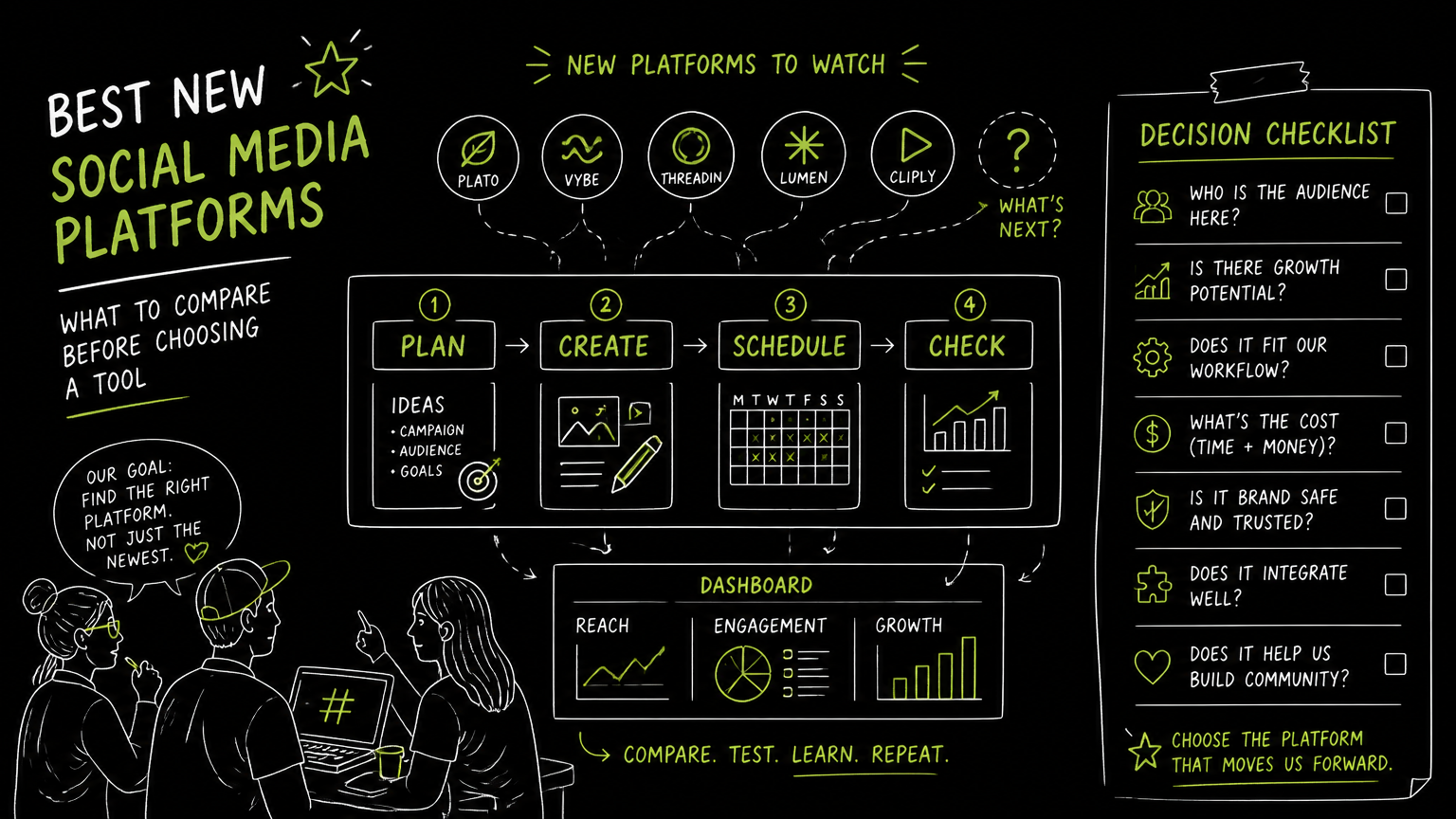
When your marketing team sits down to pick a new social app, the challenge isn’t just finding a trendy platform—it’s about matching features to your workflow and audience. Social apps vary widely in supported networks, automation options, and content formats. Knowing what to compare upfront saves time and avoids costly platform switches later. This guide breaks down the key criteria and trade-offs so you can confidently select the best new social media platform for your business needs.
Quick Answer
Quick answer: The best new social media platforms offer multi-network publishing, scheduling, and content automation tailored to your audience and workflow. When choosing social apps, compare supported social networks, automation depth, API access, and pricing tiers to find a tool that fits your scale and content strategy.
What Should You Compare When Choosing a Social App?
Selecting a social media tool requires balancing your marketing needs with platform capabilities. Use this checklist to evaluate options:
| Need | What to Check | Why It Matters |
|---|---|---|
| Multi-platform publishing | Which social networks are supported? | Reach your audience where they are active. |
| Scheduling & automation | Does it support bulk scheduling and auto-posting? | Streamline content workflows and save time. |
| Content formats | Are photos, videos, reels, carousels supported? | Match your content style to platform features. |
| API access | Is API available for integrations and custom workflows? | Enables automation and scaling beyond UI. |
| User profiles & accounts | How many profiles/accounts can you manage? | Manage multiple brands or client accounts easily. |
| Pricing & limits | What are upload, post, and transcription limits? | Avoid surprises that block your campaigns. |
Decision rule: Start by listing your must-have social networks and content types, then verify the platform supports them natively.
How to Evaluate Social Apps for Your Workflow
- Map your current social channels and content types. For example, if you post videos on TikTok and reels on Instagram, confirm the platform supports both with bulk upload and scheduling.
- Test the scheduling interface and calendar. A clear, drag-and-drop calendar helps plan campaigns visually and avoid overlaps.
- Check automation features like AI captioning or hashtag suggestions. These can speed up content creation but may not replace human editing.
- Review API access if you need integrations with CRM, analytics, or custom dashboards. Not all tools offer API access on all plans.
- Compare pricing tiers against your post volume and profiles. Higher tiers often unlock more uploads, profiles, and API access.
Tip: Trial periods are invaluable for testing if the platform’s workflow fits your team’s habits and scale.
What Are Common Mistakes When Choosing New Social Media Platforms?
- Choosing based on hype rather than fit. New platforms often promise innovation but may lack features critical to your workflow.
- Ignoring API access needs. If you rely on integrations or automation, a platform without API access can bottleneck growth.
- Overlooking content format support. Some social apps may not support reels or carousels, limiting your creative options.
- Underestimating profile and post limits. Exceeding these can disrupt campaigns or require costly plan upgrades.
- Skipping the scheduling and calendar usability test. A clunky interface wastes time and increases errors.
Watch out: Platforms that do not support bulk scheduling or have limited post types can slow down teams managing multiple accounts.
What Limits Should You Verify Before Committing?
- Upload limits: Check max file size and monthly upload caps. For example, some plans allow files up to 4 GB, others only 1 GB.
- Scheduled posts: Confirm how many posts you can queue monthly to avoid hitting a ceiling mid-campaign.
- Profiles included: Ensure the number of social profiles matches your current and near-future needs.
- AI transcription or automation minutes: If you use AI features, verify how many minutes or actions are included.
- API availability: Confirm if API access is included or requires an upgrade.
Important: A mismatch in these limits can cause unexpected downtime or force a rushed platform switch.
When DOHOO May Fit Your Social Media Automation Needs
DOHOO is a social media automation platform designed to create, schedule, and publish content across eight major social networks from one dashboard. It supports TikTok, Instagram, Facebook, YouTube, X/Twitter, Threads, LinkedIn, and Pinterest with features like bulk scheduling, AI-generated captions and hashtags, and multi-account management.
Pricing tiers range from $19.99 to $79.99 per month, scaling upload limits from 90 to 550 and profiles from 4 to 30. API access is available on Business and Agency plans, enabling integration and automation beyond the UI. The platform includes a calendar for visual scheduling and supports multiple content formats including reels, carousels, and videos.
DOHOO fits teams needing broad platform coverage, AI-assisted content creation, and scalable automation with API access.
Key Takeaways
- Define your must-have social networks and content formats before evaluating tools.
- Prioritize platforms with bulk scheduling, a clear calendar, and automation features that fit your workflow.
- Verify upload, post, and profile limits to avoid surprises.
- API access is crucial for teams needing integrations or custom automation.
- Trial the platform’s interface and features to ensure a smooth fit.
FAQ
What are the best new social media apps for businesses?
Look for platforms supporting multiple networks like TikTok, Instagram, LinkedIn, and Facebook with scheduling and automation features. The best apps balance reach, content formats, and workflow efficiency.
How important is API access in social media tools?
API access enables integration with other software, custom workflows, and automation beyond the user interface. It’s essential for scaling social media management in agencies or large teams.
Can I manage multiple social profiles in one app?
Yes, many social apps allow managing multiple profiles or accounts. Check the maximum number included in your plan to ensure it matches your needs.
What content formats should a social media platform support?
Depending on your strategy, support for photos, videos, reels, carousels, and articles is important. Platforms vary in which formats they allow for scheduling and auto-publishing.
How do I avoid hitting limits on social media platforms?
Review upload size, number of scheduled posts, and profile limits before choosing a plan. Choose a tier that accommodates your current volume with room to grow.
If you want to explore a platform that covers eight major social networks with AI-assisted content and scalable automation, consider trying DOHOO’s trial plans to see if it fits your social media workflow.